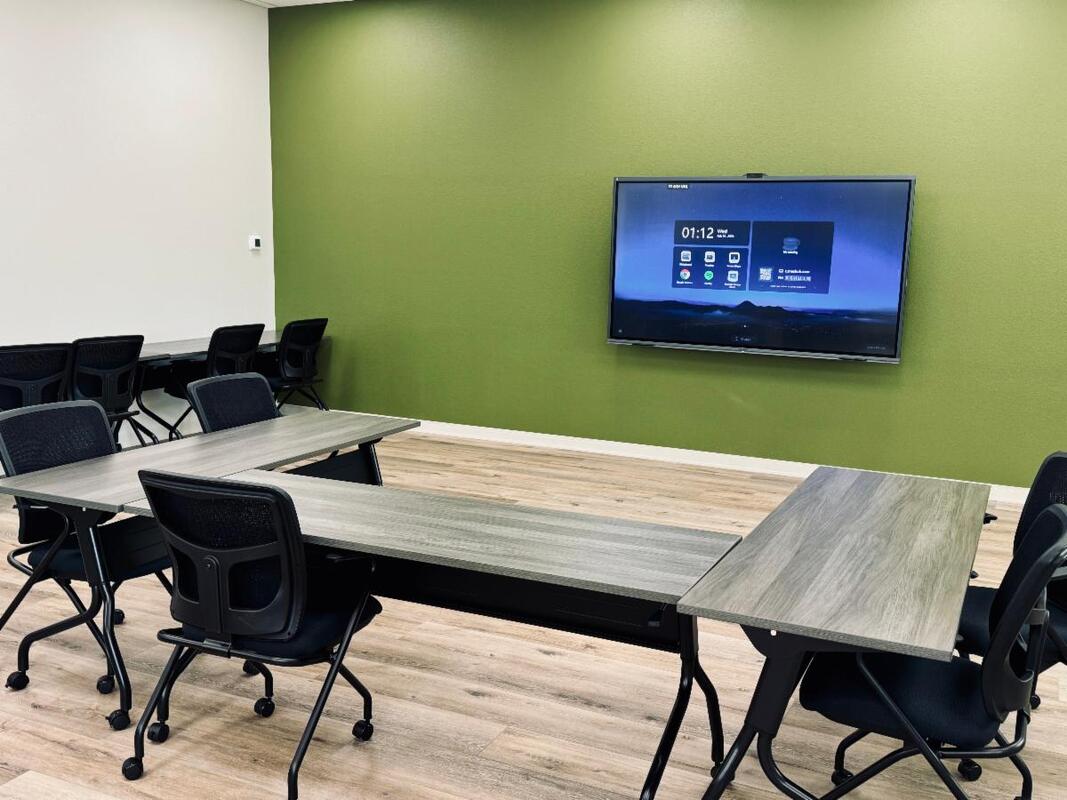
 At Lambda Audio Visual we always want to make sure we spec the right tool for the job. As AV integrators it’s our job to take multiple tools and combine them into one functional, practical system. We love it when we find one great product suited for a specific task. This time that product was the Maxhub IFP or Integrated Flat Panel. This is a unique piece of equipment that we installed in a workspace and will continue to become very popular option for many businesses and collaborative community spaces!
When NAMI or the National Association On Mental Illness was moving into their new space they reached out to us for technical recommendations. They had a double meeting room with collapsible divider in the middle. They wanted this space to be functional for just about every type of meeting. Nami’s needs were a Zoom room, Microsoft teams, a white board, PowerPoint presentations, music, the list goes on and on.
0 Comments
"Don't cross the streams. That would be bad." |
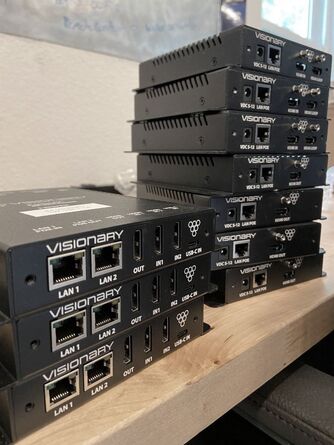 | Lambda AV is in the middle of several large system control installs, so we wanted to let you in on a bit of the process and take a look at some of the gear we are using! We’ll highlight these projects more in-depth next month, but for now, let’s focus on an introduction to Visionary Solutions! Visionary Solutions builds incredible products and is our go-to solution for creating efficient system control solutions. First, let’s look at new models of Visionary Solutions E5100 and D5100 Encoder and Decoder! Now, this is a bit more advanced but could be extremely useful for many of you, so we wanted to be sure to take a moment and explain how these two little devices could bring some amazing changes to your av. |
With the growing demand for casting 4K video, professional AV designers and IT directors can use Visionary Solutions products as an alternative to conventional distribution systems such as video switchers. This can be even more useful if your building already has an existing IP network. Adding these encoders to your network is an elegant solution for distributing video throughout your building or conference rooms. Here’s how it works:
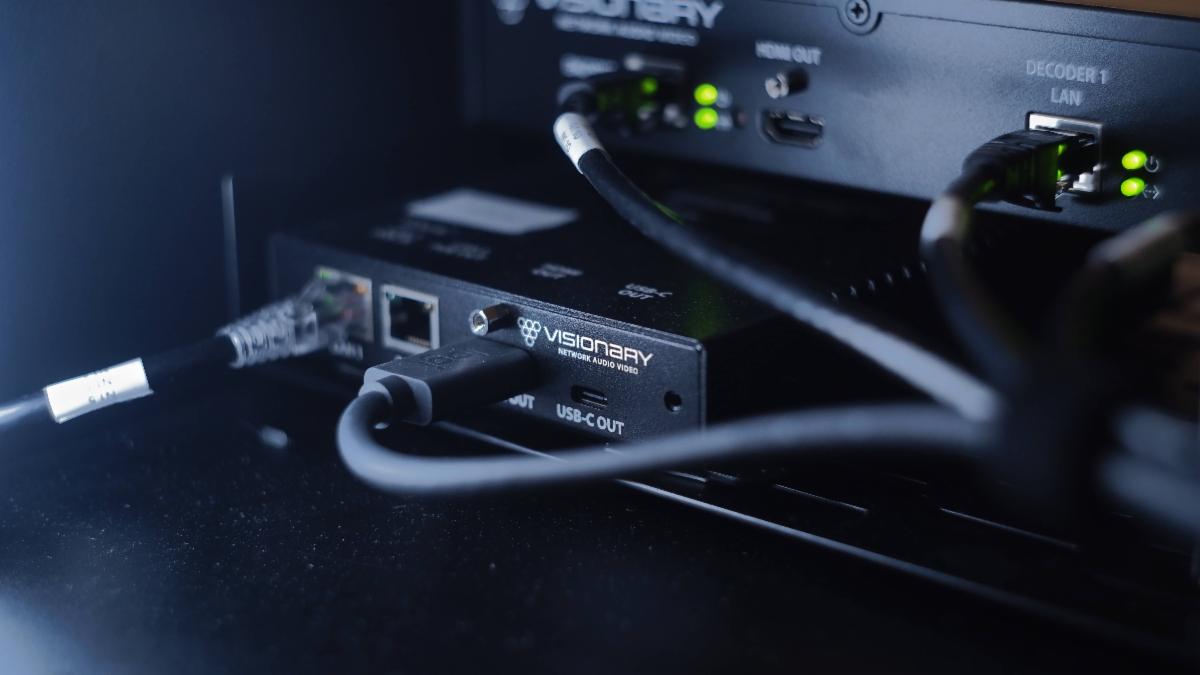
An encoder is easily connected to an AV signal source, such as a computer, through an HDMI cable. This then takes the signal from your computer and converts it to be transmitted over your existing network. This signal is sent through your infrastructure to any selected decoder in the building. The decoder then converts the signal back into an HDMI signal connected directly to a video display. This form of casting video produces visually lossless video. As if that wasn’t incredible enough, it is also easy to set up and control. Your video input can be sent to any decoder installed in your entire building! The signals are easily controlled with their Vision Lite software on a computer. Using this software, you will be able to choose which tv’s receive your video signal, including LED walls. Visionary’s products can be deployed on any industry-standard IP network. They can be used on existing enterprise IP networks or a physically separate private network to offload traffic. It’s that simple!
 | What does this mean for you? It means you can stream live video from your anyone presenting in any room in the building all with the touch of a button! It nearly eliminates the need for complicated, expensive video switchers and makes it easy for one person to use and control. This system even has the option of using the Wallplate encoder. This in-wall box can be easily mounted on a wall, tabletop, lectern, or floor box, enabling visitors to directly plug in their computers. In an instant, your AV team can take that signal and cast it to the main screens or other parts of the building where the presentation needs to be seen. The possibilities of sharing video to any screen you need are almost endless! Once programed for your needs, this system is so simple and extremely cost-effective! Especially if you already have a network in your building. Remember all those frustrating times you were trying to share your speakers’ video in a lobby or an overflow room? Say goodbye to those frustrations! By using your existing IP network, you can cast your video seamlessly, with an inexpensive, and easy to control product! |
We can’t wait to highlight several projects where Visionary solutions has made a big difference in usability, but in the meantime, if you think this sounds like a solution that you could use in your space, we would love to chat with you and answer any questions you might have! You can reach us at [email protected]
ProPresenter is a powerful software tool that benefits individuals and organizations involved in multimedia presentations. One of the advantages of using ProPresenter is its intuitive and user-friendly interface, which allows users to create stunning and dynamic presentations with ease. The software offers a wide range of features, including advanced video and audio playback capabilities, real-time editing, and seamless integration with other multimedia devices. ProPresenter also excels in its ability to handle complex multi-screen setups, making it an ideal choice for large events and productions. Furthermore, ProPresenter's robust media management system enables users to organize and access their files efficiently, ensuring smooth and hassle-free presentations. With its vast array of features and flexibility, ProPresenter allows users to deliver visually engaging and impactful presentations, making it an indispensable tool!
So, how do you begin to access the full power of using ProPresenter? A great place to start, whether you are a beginner or more advanced, is to dive into the free ProPresentor Tutorials! That’s right! ProPresentor offers an entire library of tutorials ranging from beginner basics training to advanced configurations for a pro look!
Ready to take your ProPresentor to the next level? Check out the samples below or follow the link to access the Entire Training Library!
Lambda AV have done just a few projector installs… ;) We’ve even written a few projection articles on choosing the right projector or screen and even the nerdy things about how projection works. We get a lot of questions on projection not just on choosing what projector to use but mounting recommendations for that projector model. Choosing a projector and its various pieces is a bit of an art form, but specifically based on the task it will be used for and the place it will be installed.
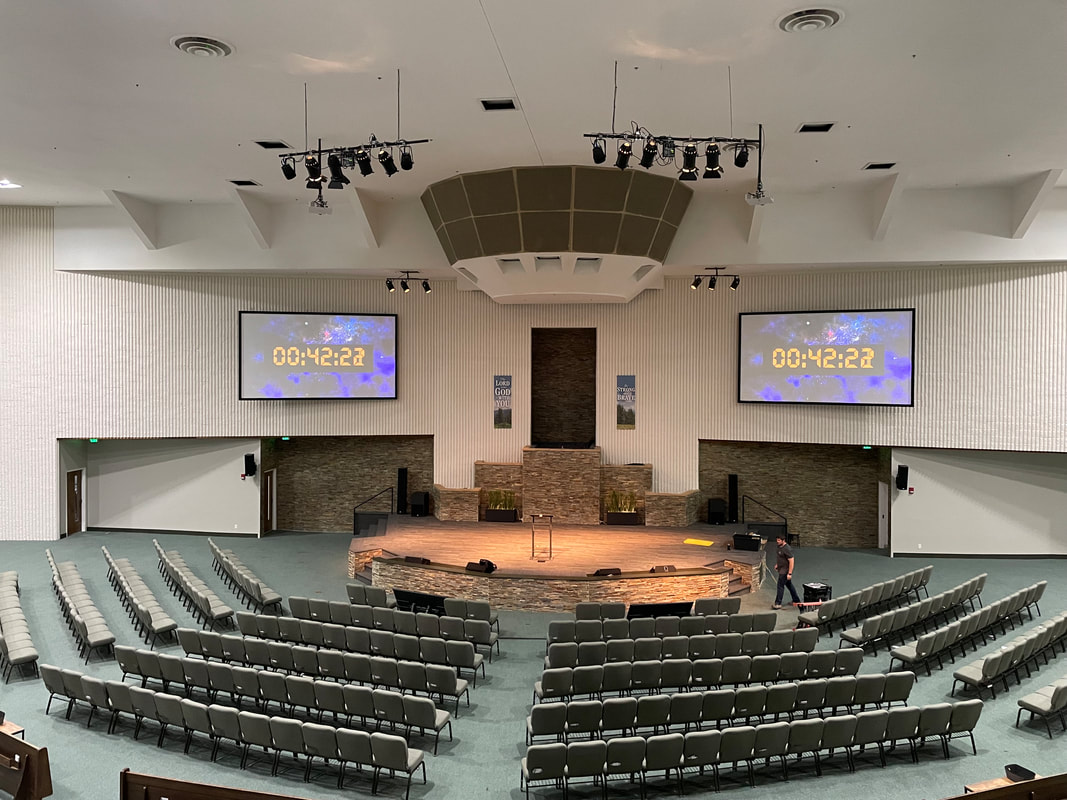
At Lambda AV we love to show off our big, beautiful systems with lots of flashing lights and complications but what about the simple, smaller solutions? We love to work on projects that are interesting challenges. Sometimes they are on a low budget, but these will still make a big impact to the organization when we implement them. In this article we are going to dive into three different project solutions and see how we did it.
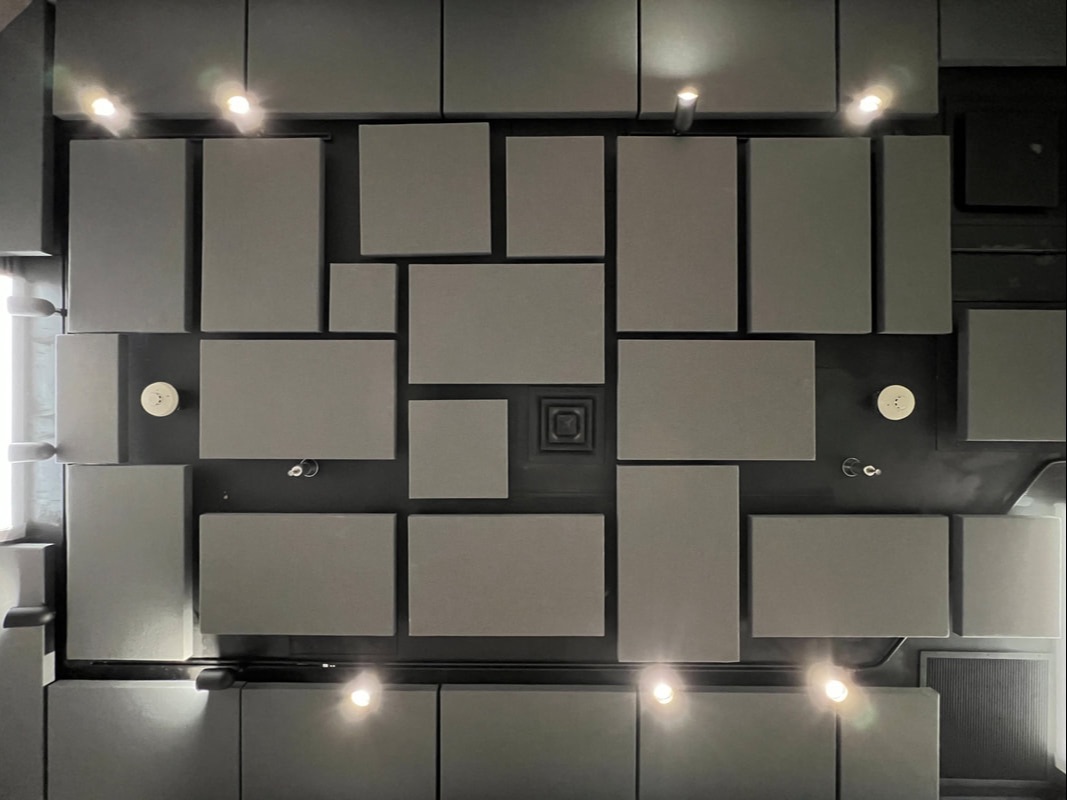
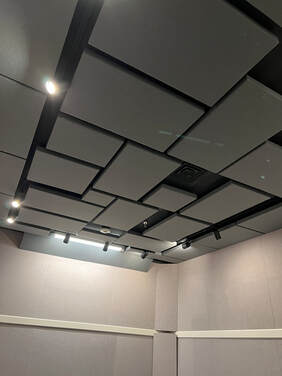 | Our last simple solution project was a recent install assist at Focus on the Family for a recording studio acoustic improvement. We have done a number of custom installation designs and installs with acoustic treatment and every time it makes a huge, notable difference in the space. While acoustic treatment can be expensive it can also be the difference between a room where you spend most all your time and tools correcting issues or where you spend the same time and tools on being creative. Acoustics can change a room where it’s physically exhausting or painful to speak or listen into a room that has a comfortable audio range. |
What do you look for while installing acoustics? It’s all about controlling surfaces, absorption, and reflection. On another recent project for Cross and Crown Church we implemented over 140 clouds that blend into the ceiling. The difference was massive making reflected audio sound more natural in the room. In this smaller project FOTF had already purchased acoustic materials but needed professional installation. Due to our knowledge of good practices in hanging and mounting panels, we were able to come up with simple, cost effective and quick options for mounting each panel and staying within room fire code. The result is a great space for future studio productions for FOTF.
At Lambda AV we love to show off our big, beautiful systems with lots of flashing lights and complications but what about the simple, smaller solutions? We love to work on projects that are interesting challenges. Sometimes they are on a low budget, but these will still make a big impact to the organization when we implement them. In this article we are going to dive into three different project solutions and see how we did it.
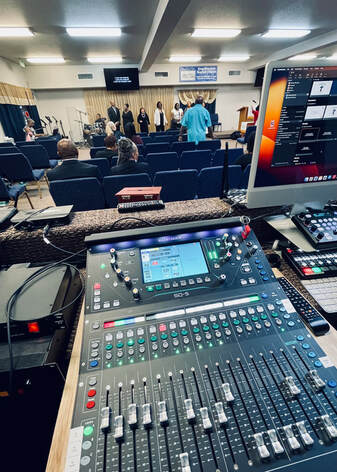 | Our second simple solution project was a small sound board upgrade for King Solomon Bible Church. This small but passionate church in Colorado Springs had a sudden sound board failure! Their faithful Presonus Studio Live of over 10 years finally was no more. Deciding on a soundboard is hard with so many options and features, but with the advantage of knowing our client and current sound board choices, we quickly knew that an Allen and Heath SQ5 would be the perfect fit for this church. A small footprint led to a perfect fit in their booth! Easy controls, with long lasting hardware is allowing their team to learn the new board and grow the quality of their music programs. Modern sound boards introduce newer and easier ways of controlling a mix and even introduce higher quality processing and better scene control for day to day consistency. In just a day our team was able to install the new board and complete a team training, then provide live support for their first event. Having an equipment failure can seem like a disaster, but working with Lambda allowed the church to be back and running as they normally would in a short amount of time! |
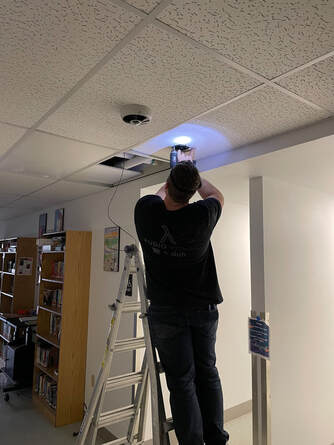 | At Lambda AV we love to show off our big, beautiful systems with lots of flashing lights and complications but what about the simple, smaller solutions? We love to work on projects that are interesting challenges. Sometimes they are on a low budget, but these will still make a big impact to the organization when we implement them. In this article we are going to dive into three different project solutions and see how we did it. Our first simple solution project was a paging, emergency announcement system for a small school here in Colorado. Aspen Valley Middle School, a small 5 classroom school in district twenty didn’t have an emergency announcement PA. In the event of an emergency the front office needed a way to alert the entire building quickly and effectively. Being such a small school, they didn’t have the budget for a large scale bi-directional paging system. Lambda answered the call! |
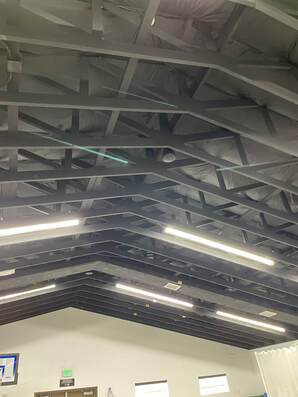
Knowing AV gear really well, as Lambda does, we were able to present a solution with a simple design. Starting at the classroom and working back to the front desk we began with some of our favorite simple technology: the 70v speaker. 70v, or constant voltage speakers, allow us to place multiple speakers on one signal line daisy chained over a large distance. We went to our favorite MSE Audio SoundTube ceiling speakers and installed one in every classroom, and throughout hallways and common areas. To drive the speakers we used a small form factor Stewart amplifier placed under the front desk. For making announcements, we added a Shure MX412 desk mic. The desk mic is versatile with mute/logic switch that added the possibility of using a RDL tone generator. Each time the button is pressed on the mic the signal is un-muted and the tone generator is triggered causing an “attention tone”! This can then be followed by a message from the front desk for safety information. Just like that, a simple day install with some reasonably priced gear, presents a solution to help protect students!
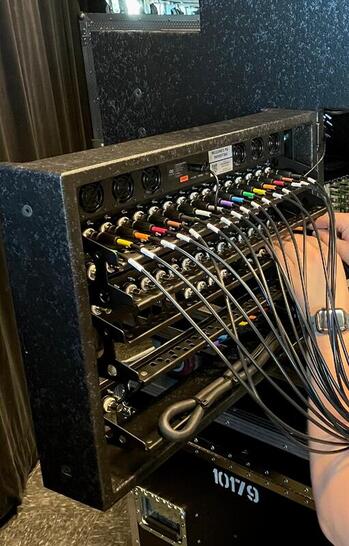
As audio and video techs I’m sure many of us have spent far too much of our time tracing cables!! Often that is the only way to truly verify whether cables are plugged in correctly when you are having a signal flow issue. One way we at Lambda AV have tried to eliminate or greatly reduce tracing cables is a relatively simple process… Labeling the cables! Labeling the cables and having accurate documentation on where every cable is actually going can save you lots of time in your troubleshooting and in any future redesign projects!
As you can see in these pictures, we use a combination of labels and color-coded heat shrink to identify each cable and what connection they have. Check through your list and make sure each is connected where it is supposed to be.
Labeling along with good documentation, as you can see here can help you trace a cable in seconds instead of minutes or hours!
As you can see in these pictures, we use a combination of labels and color-coded heat shrink to identify each cable and what connection they have. Check through your list and make sure each is connected where it is supposed to be.
Labeling along with good documentation, as you can see here can help you trace a cable in seconds instead of minutes or hours!
Let’s talk about Symetrix! We certainly love their products and are happy with the great integration and capabilities they bring to our system designs. So, what’s so great about Symetrix? Let’s take a quick look at one of the products we are big fans of and use a lot!
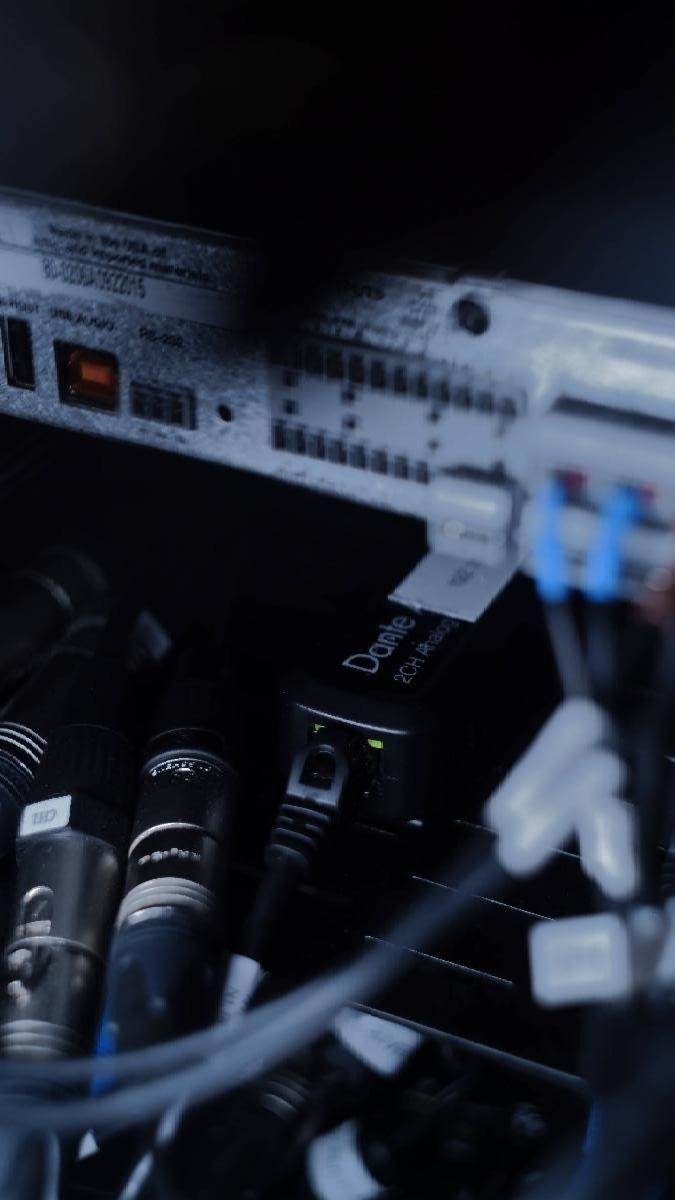
The Prism has a mirid of flexible IO combinations. The smallest being a 4x4 up to 16x16, providing a wide scale of case use, perfect for any install. Dante is also a huge part of Symetrix and with Prism’s equipped with the Dante protocol the Prism is enabled with ultra-reliable multi-channel audio networking over IP. This makes it the fastest way to implement, control, and maintain a system of networked DSPs and accessories.
The Prism has a mirid of flexible IO combinations. The smallest being a 4x4 up to 16x16, providing a wide scale of case use, perfect for any install. Dante is also a huge part of Symetrix and with Prism’s equipped with the Dante protocol the Prism is enabled with ultra-reliable multi-channel audio networking over IP. This makes it the fastest way to implement, control, and maintain a system of networked DSPs and accessories.
Authors
All of the Lambda Staff contribute to the Blog. If you have any questions about the info we provide, please don't hesitate to ask!
Resources
Check out our resources page for FREE checklists and tools we mention in articles! We are here to help you improve and maintain your Audio Visual Systems!
Categories
All
Audio
AV Integration Knowledge
Case Study
Fun Facts
Legendary Christmas Letter
Lighting
Product Spotlight
Tech Tips
Visual
Volunteers
 RSS Feed